Categories
Airstream Accessories

Gear Review: The Luminoodle by Power Practical And Their New Kickstarter Campaign

DSCF4783-EditA life with few possessions requires everything to have multiple purposes. That collapsible salad spinner? Also a bowl. And a colander. Single purpose things don’t serve us well, and are quickly dropped from our collection of gear.

We have two main types of lights for our adventures. Small area lights solve one person lighting problems, such as a bathroom run while backpacking or reading at night in the hammock. Such duties fall to small headlamps and our smartphones.

Our second light is a larger area light, useful for lighting a picnic table for dinner or games. This is a harder nut to crack. We have a few photography LED light panels that are plenty bright, but cast a bright light that isn’t very pleasant. We often attach those to a nearby tree or post with a GorillaPod. We have a smaller LED light that serves as a lantern, but the light doesn’t cover a very large area. We are stuck with a bright, harsh light or a more pleasant dim one, and neither is usually what we want.

IMG_20160414_202027219_HDR

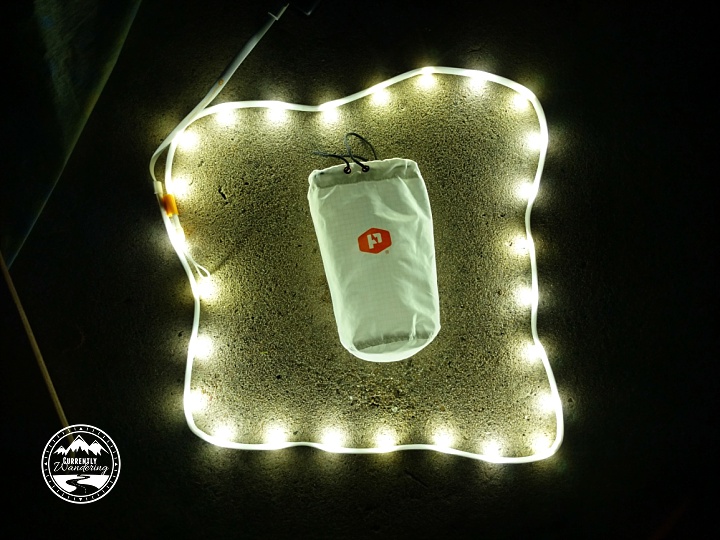
We were recently sent a Luminoodle for review, and I think this might be the answer for our needs. The Luminoodle is an LED light strip powered by USB. It launched via Kickstarter in 2015, and is currently for sale. My favorite things about this as a lightsource:

  1. Powered by USB. Luminoodle sells battery packs, but the power connector is a standard USB connector, just like your cellphone charging cable. This means it can be plugged into any existing battery pack or AC adapter that you likely already have. I much prefer this to a special battery pack that only works with this one product.
  2. Shapeable light. You can circle a game, run this down the center of a table, or hang it from above. The ability to ‘shape’ the light is amazing compared to the other options we’ve used.
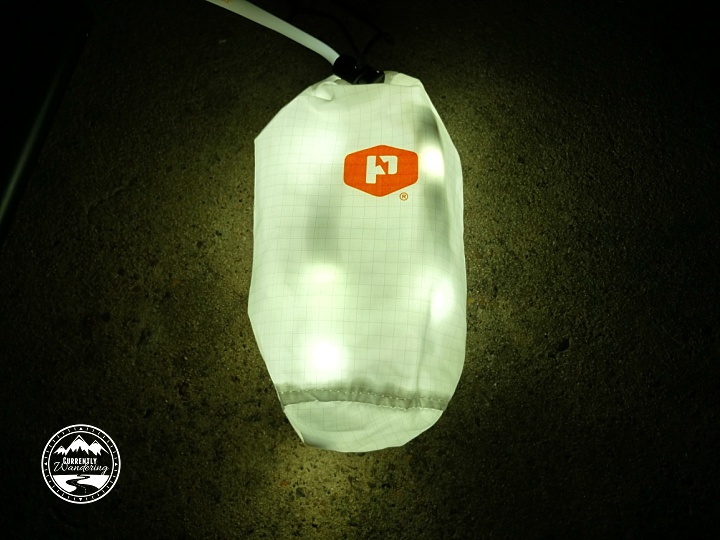
  3. Durable AND packable. The luminoodle is flexible, which allows easy packing inside a small stuff sack. The sack itself doubles as a lantern for those times when you want a brighter light over a smaller area. The soft durable cover protects all the light components inside from scuffs and spills alike. (It is waterproof!)

IMG_20160414_201802354_HDR

A few things I’d love to change:

  1. Longer. Our review unit is 5 feet long. They sell a 10 foot version, and I think this would be even more useful. 5 is just a little short for many of the things we would love to use it for.
  2. Dimmer. The light is quite bright, but every once in awhile I could use a little less. A dimmer would allow the right light level and save battery as a pleasant side effect.
  3. Easier Hanging. The rubber zip tie things included were not super easy to work with, and I think there is probably something better.

The Luminoodle is available, Prime shippable from Amazon. $20 for the 5 foot, and $30 for the 10 foot version, with battery packs also available.

Round 2

As it turns out, I’m not the only one with ideas for improvement. PowerPractical has a brand new COLOR version on Kickstarter, ending Friday, April 22nd. The new version comes in 5 foot and 20 foot lengths, and includes a dimmer, a remote(!) and 3 different white modes for different color temperatures. A new magnetic mounting option looks pretty darn nice. If you are lucky enough to catch it before it funds, great! If not, the new version will be available later this year.

I’m looking forward to testing the Basecamp versions as I think it would work well for our Airstream!

Categories
Airstream Accessories General Information Solar & Power The Airstream

Power Upgrade – The Bliss of Automatic Transfer Switches

Our Airstream didn’t come with an inverter installed. There is one AC panel inside the Parallax power distribution center which distributes the 30 Amps from the street connection to all internal plugs, the refrigerator, the DC power converter, and the air conditioner. Adding an inverter complicates this setup considerably, for reasons I will now attempt to explain.

We wanted the inverter to run the aforementioned blender and provide power to the AC outlets throughout the Airstream. There were a few things that we NEVER wanted the inverter to power. The air conditioner was off-limits as it draws more than the 2,000 watts our inverter can produce. The refrigerator also has a heavy draw, and I’d rather just burn propane while boondocking. But the MOST IMPORTANT THING to NEVER RUN OFF THE INVERTER is the DC Converter.

See, the DC converter uses AC power to charge the batteries and provide power to the DC systems in the Airstream such as lights and fans. The inverter uses DC power to produce AC power. Powering the DC converter (AC->DC) with the inverter (DC->AC) works these two components against each other, causing them to both lose excess power in the process and drain your battery down quickly with no benefit.

It is common to make sure the DC converter has a switch that can turn it off when the inverter is running to prevent this problem. If your AC panel has the converter isolated on a breaker, you can just switch the breaker off and no harm is done.

At this point, I’ll remind you of the primary reason for our Solar Install and Power Upgrade: Laziness.

I didn’t want to have to remember to switch the converter off. Luckily, somebody smart invented something called an Automatic Transfer Switch. This wonderful device can switch between two power sources. It is often used to wire in a backup generator, but in my case I’m going to use it to automatically switch between the inverter and shore power.

With the Automatic Transfer Switch and some reworking of the AC wiring, I’ll explain how I created a system that automagically does the right thing at the right time. Brace yourselves: there will be diagrams. First, here is the ‘before’ diagram. Notice that I’ve already included solar power, though it isn’t technically required for the inverter install.

Old Wiring Diagram

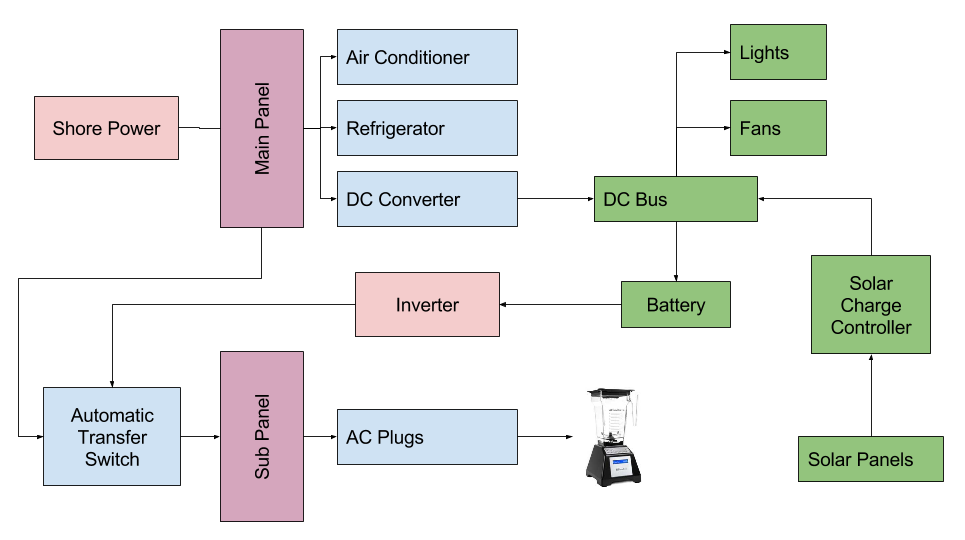
The A/C side of this situation is pretty simple here. Power comes into the Main panel, and is distributed as needed. Now, observe the ‘after’ diagram, as it exists at the end of my install.
New Wiring Diagram

There are a few changes here, so let me guide you through what I did.

The main concept is that I split the Main Panel into two separate panels. The Main panel has the main appliances that I never want to power from the Inverter. The new sub panel only powers the A/C plugs and receives power from the Main panel (when plugged into shore power) or the inverter (when inverting from the batteries). The miracle here is the Automatic Transfer Switch, which automatically selects the input that currently has power. This switch was semi-expensive ($75), and you can just install a battery isolator switch like I used in other places in my install. You have to mount the switch somewhere, and remember to turn it to the right power source depending on where you are drawing your power from.

Remember that my primary reason for this power upgrade was laziness. I didn’t want to see a switch mounted somewhere, and I didn’t want to have to remember to switch it. The Automatic Transfer Switch solved my problem nicely. With it in place, I can just use the power button on my inverter remote to turn on the inverter, and the power is automatically connected where I need it.

The benefit of having two power panels is also laziness. I never have to worry about switching off the converter, or having the refrigerator drain my batteries if accidentally left in A/C mode.

Splitting the Panel

The diagram above looks nice and clean, but the reality is a little more complicated. Because of the location of the AC panel in the Parallax Power Center, it made a prime location for the new Sub Panel. I added a new Main Panel on the other side of the Airstream underneath the wardrobe. Moving the main panel meant re-routing the wiring for the air conditioner, refrigerator, and the converter to the other side of the Airstream.
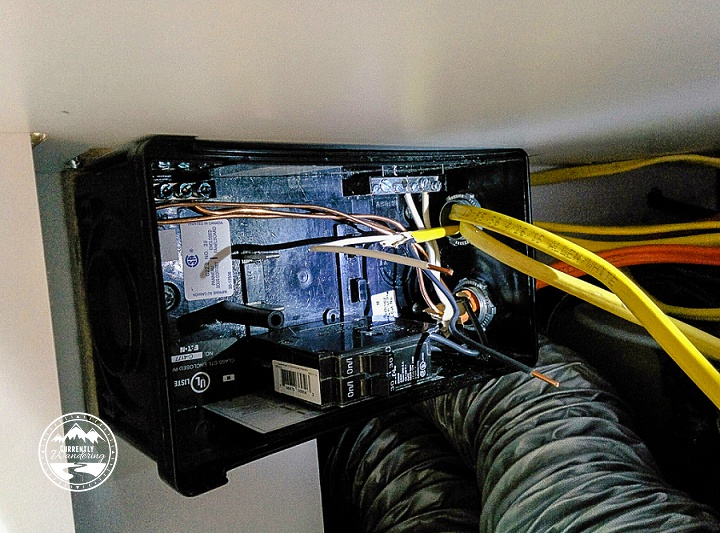
New Main Panel

During my solar install, I routed the solar cable through the wire chases that run underneath the floor. The chase in our Airstream (2008 International 27FB) runs from under the wardrobe to behind the power center. There are two of those wire chases right next to each other, and I used them to run additional romex from side to side. The Air Conditioner and Converter both needed to be run to the wardrobe side, and the Refrigerator needed to be modified to run to the new Main Panel. The new main panel is shown in the picture above, part way through my wiring process.

I also ran a new wire to connect the Main panel to the Automatic Transfer Switch, which mounted right to the back of the Parallax Power Center. Below is a picture taken after wiring it up, but before attaching the back cover.
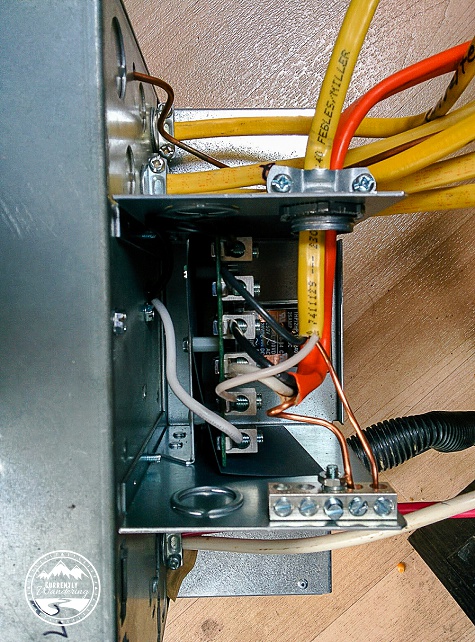
Wiring the Automatic Transfer Switch

If that whole process sounds like a mess, it was. Honestly, I’m surprised it all worked out, and I didn’t make any critical mistakes. In the middle of the process, the hallway looked something like this:
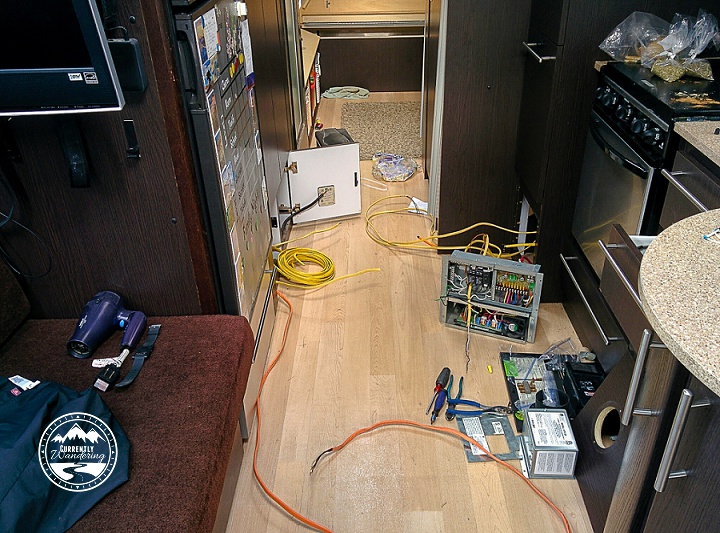
IMG_20150520_173458

Maximum GFCI

In the factory configuration, the power plugs in the kitchen and bathroom were protected by a GFCI breaker. In my rewire, I added a few more so that every plug (including the refrigerator in the new main panel) was on a GFCI protected circuit. It might be overkill, but I thought a few more protections couldn’t hurt.

The Fateful Moment

I wired up everything, had all the circuit breakers in place, and all loose wires connected to the right places. To give things a test, I ran a power cord into my Brother’s garage and took a deep breath. Then, I flipped my main breaker on….. and nothing happened. After a few very confused minutes, I found out that I had tripped the GFCI outlet in my brother’s garage. A few resets and immediate faults convinced me that I had a wire fault somewhere. After isolating the main wiring components (because I have two panels now…) I discovered that I had over-tightened one of the wire stays, which pinched through the wire insulation and improperly grounded  a wire. After a quick fix, I was back up for another test. This time, everything worked. A quick celebration, and I re-mounted and closed everything up.

This brings us to the general close of Power Upgrade posts. I’ll post a cost breakdown and final thoughts, but I’ve described all the parts of our upgrade already. It was fairly hard to consolidate our experience down into just a few posts, and I’m sure I missed critical steps. Please reach out if you have questions about something I’ve missed.
Categories
Airstream Accessories General Information The Airstream Tips & Tricks Tow Vehicle Travel

Gear Review: EEZTire Tire Pressure Monitoring System

Worried about your RV or Airstream tire blowing out? The EezTire Pressure Monitoring system is easy to install and use. Check out our post for details!My first experience with a tire blowout on the Airstream was only the second time I towed it. We were headed back to Virginia after picking up the Airstream in Carlyle, IL. (This was back in the fall of 2013.) Our second tow was from Louisville, heading East. Our destination was Lake Vesuvius, right at the southern tip of Ohio. Just miles away from our destination we passed through Ashland, Kentucky. Before we made it through town, we were flagged down by an angel in the form of a middle aged man, who informed us that we had blown a tire on the Airstream. We immediately pulled off the road into a church parking lot, then moved just down the street to have a tire place help us replace the blown tire with the spare.

We were incredibly lucky: no damage was done at all due to the warning and help we received from those blessed folks of Ashland. I felt a little dumb, as the previous owner had included a PressurePro TPMS (similar, but not exact, product link) when we purchased the Airstream. I hadn’t yet taken the time to figure it out yet, so it was not hooked up at all.

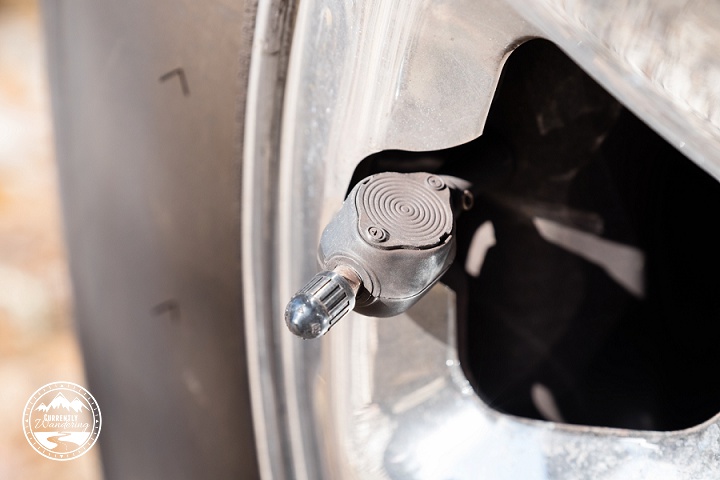
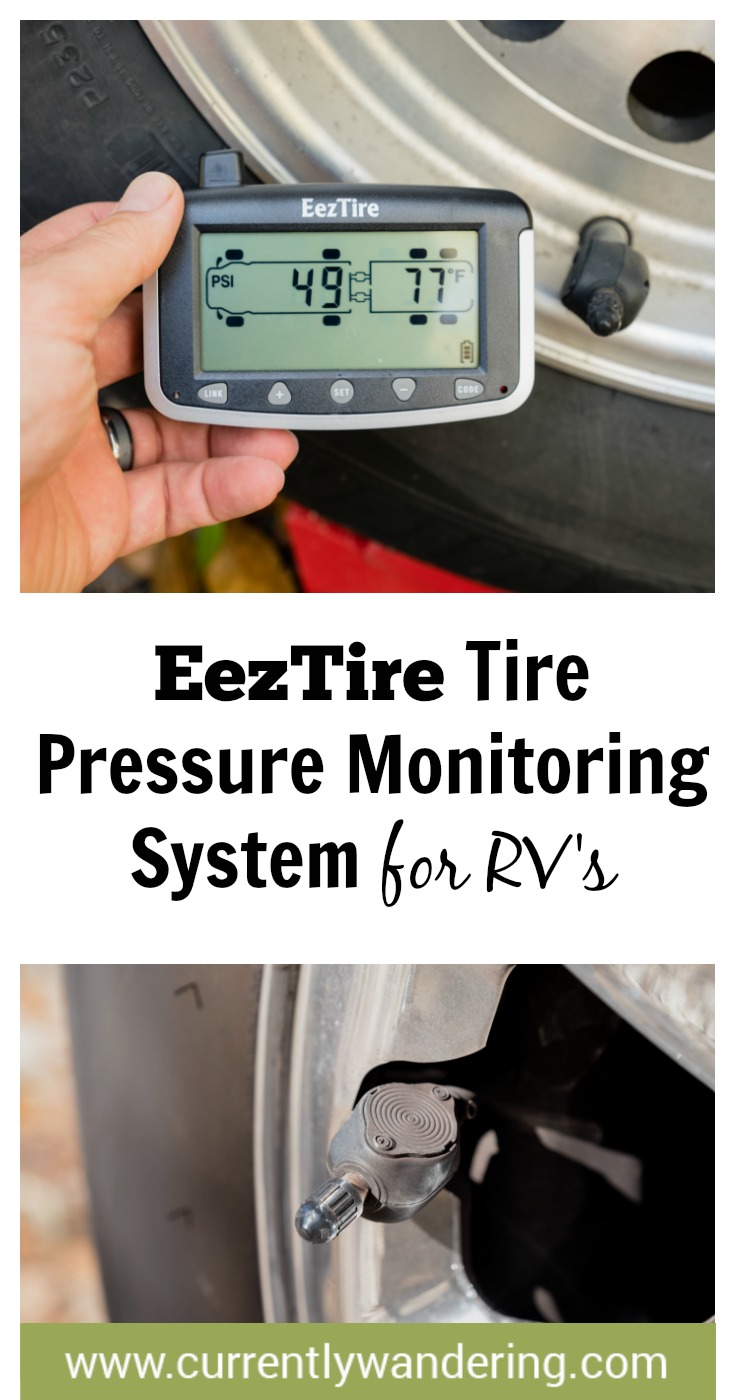
I quickly did figure it out, and we have used a Tire Pressure Monitor ever since. These systems consist of a monitor that you place in the cab of your truck, and a sensor that screws onto the outside of the tire valve stem of each tire. The Pressure Pro system I inherited had 6 sensors: all 4 Airstream tires and two for the back tires of the truck. I loved the assurance that came with having monitoring pressure on the tires, and I loved having an alarm sound when pressure dropped on any of the tires.

After a year or so, I began to have a few issues with a few of the tire sensors. Pressure readings were intermittent, and replacement was expensive. My search for new sensors also revealed newer (and cheaper) systems that not only monitored pressure, but tire temperature as well.  After some research I decided upon the EEZTire system, complete with 8 tire sensors.

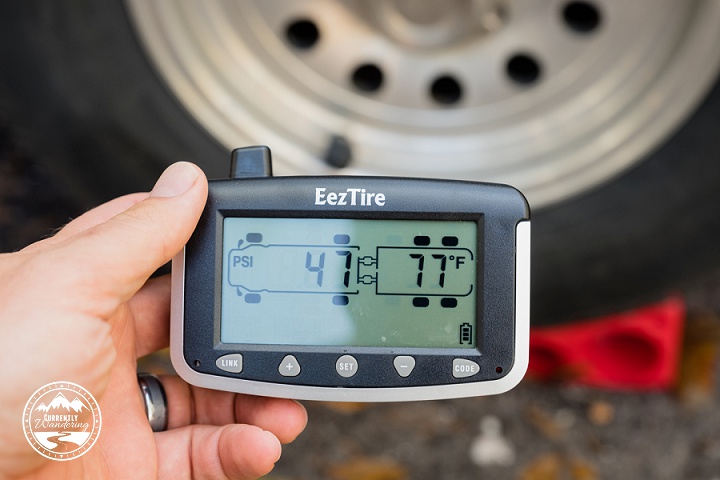
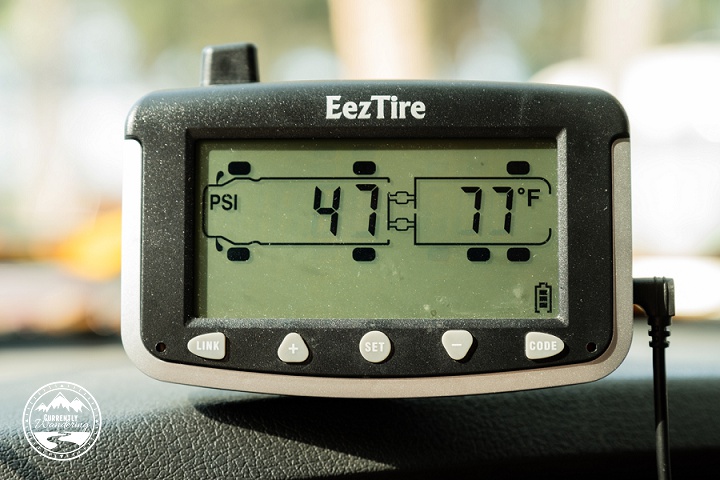
Monitor

The difference between the PressurePro system and the EEZTire system was profound. The EEZTire monitor has an internal battery, which made setup fast and easy. After mounting the sensor on each tire, you program it to the monitor by entering setup mode, selecting the appropriate tire on the display, and holding it next to the sensor. The monitor does have a DC power cord that we use in the cab, but more than once I’ve used the portable monitor to make my life easier. (More on that later…)

DSCF3294

Sensor Types

There are two types of sensors offered by these systems: Regular and flow-through. They both report the same information, but the flow-through sensors have an air port you can use to add air to the tire without removing the sensor. I have found that feature to be useful, though it does seem to restrict the airflow a bit. I suspect the regular sensors are slightly simpler inside, which may turn out to be more reliable in the long run.

DSCF3285

Proper Sensor Installation

The absolute most important thing about installing your TPMS sensors is getting the sensor on tight enough. If the sensor is improperly installed, then air will leak out of the valve stem, giving you a flat tire. If you read reviews of every after-market TPMS, this will be the top complaint. I myself struggled with this after I installed my new sensors. The best way to ensure good mounting is to take the portable monitor into the Airstream with you, and watch the pressures. As the tires cool down they will drop a few PSI, but any more than that, and you’ll want to check on the tire. Watching the monitor closely your first few days can help you avoid finding only 10PSI in your tire minutes before checkout time at the campground. In extreme cases, a valve tool (available at any auto-parts store) can be used to adjust the inside seal of the EEZTire sensors.

The good news is that after proper mounting and installation, I have had very little issue with my sensors. They have already come in handy, alerting me to a flat tire that resulted from a metal pin in my tire.

Repeaters

Most TPMS makers sell a signal repeater that can be used on very long rigs. In my case, a 27 foot Airstream and a Dodge Ram extended cab short bed truck, no repeater has been necessary.

Benefits of my upgrade:

  • Internal battery allows mobile monitor use and easy setup.
  • Pressure AND temperature monitoring.
  • Cheaper price.
  • Easy (but slightly futzy) self-install.
  • User-replaceable sensor batteries.

If you are towing an Airstream or other travel trailer, I highly recommend a TPMS. It pays for itself in a single blowout by limiting damage. With multiple-axle rigs, it can be very difficult to tell that a tire has blown, leaving the tire to come apart and tear out the wheel-well and rv internals along with it.

Worried about a tire blowing out? The EezTire Pressure Monitoring system is easy to install and use. Check out our post for details!
Categories
Airstream Accessories Giveaways Outdoor Adventures Outdoor Gear

The Currently Wandering Holiday Gift Guide

IMG_3343-2 copy

We seriously own 90% of this gear, and the other 10% we would own if we could fit it in our Airstream (ahem! Vacilando quilt!).  This post contains Amazon & REI affiliate links which help to fund the blog in a small, small way. Thanks for helping us out by clicking through to shop!

Now that Thanksgiving is over we get to celebrate Christmas!! I love this time of year, and amid all the presents, the lights and everything else we try to concentrate on spending time together as a family. While we are big on experiences (not presents) for Christmas and birthdays we do have our favorite gear to help facilitate our adventures. We have very little space to store things, so we make sure they are our favorites. If you are looking for the perfect gift for a child, for family time, outdoor adventure, the adventure mom, or even a traveler, read on!

Gifts For Kids
1. REI Sahara Convertible Pants – My kids wear these EVERYWHERE. Hiking, mountain biking, or just playing. Great because if they get too hot they can stash the legs in their pockets.

2. Drawstring Backpack from Mamoo Kids – Super comfortable, great adventure bag! Stash their nature journal, a pen, a water bottle, and some sunglasses and head out to explore.

3. Nite Ize Bug Lite – We have three of these (one for each!) and they make fantastic backcountry night lights. They also wrap around hiking poles or wrists for exploring in caves. Just sayin’….

4. Woom Bike – I’m not sure I can express how much we LOVE our Woom. So much that the older two kids are begging for one. Full review here.

5. My USA Adventures Map – I can’t think of a more adorable way to keep track of your adventures. A 12×18 map of the USA comes with 16 stickers to highlight your trips. They also have a world map if you are a bit more adventurous.

Family Time Gifts6. Aerobie SuperDisc – people are surprised with how well my kids can throw a frisbee. This thing is soft, flexible and flies well. Perfect for an afternoon out in the campground (or the lawn, or the park!).

7. Forbidden Desert – Everyone we’ve taught to play this game loves it. Its a cooperative game – so your family against piling sand, thirst, and a huge storm. Just be prepared to lose your first few times playing.

8. Talkabout Radios – These are great for hiking, for sending your kids off exploring (together) or just to general keep track of each other at Disneyland. Blog post here.

9. Bora Single Line Parafoil Kite – We have a stunt kite, but this one is MUCH easier for the kids to fly. Whether on the Oregon coast, or in the deserts surrounding Las Vegas we’ve loved pulling it out.

10. YayLabs! Soft Ice Cream Ball – We don’t own one of these (yet) but friends have said they are a blast! Who doesn’t love ice cream?

11. Trekking the Parks Board Game – Visit the National Parks, earn points, and enjoy the beautiful photos and artwork on this family game. Full review here.

Gifts For Outdoor Adventure

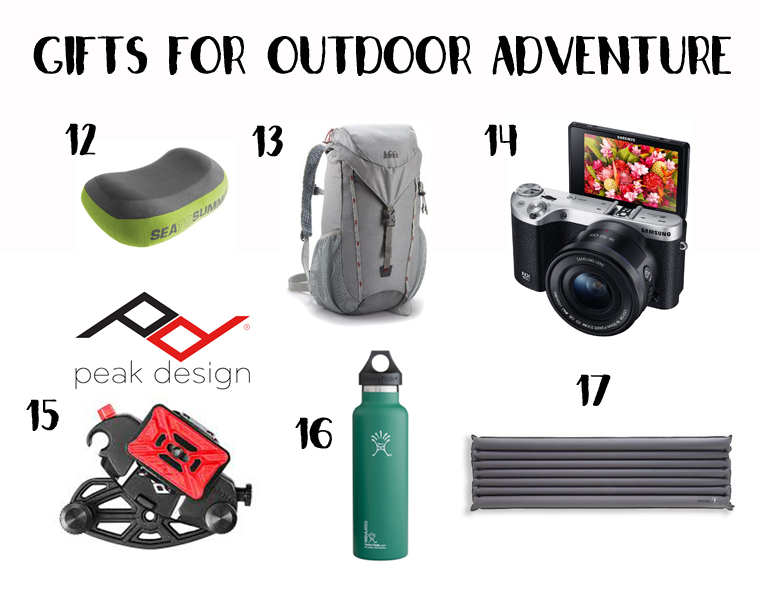
12. Sea to Summit Aeros Pillow Premium -We recently bought me one of these for backpacking as I was struggling to sleep, and then we ended up buying another one. Love that one side is soft so my face doesn’t slip off while I’m sleeping.

13. REI Flash 22 Bag – We use this as a super light-weight everyday bag. It packs up small and doesn’t weigh much so that the kids can carry it pretty easy as well. Great for short hikes or exploring a city.

14. Samsung NX500 – This is the big brother of the Samsung NX300 that we own (full review here). On this one the screen actually swings all the way around for video and selfies.

15. Capture Pro Camera Clip – I use this ALL the time. Its super easy to carry a camera around and have it easily accessible. I’ll even strap it to our REI Flash Bag.

16. Hydro Flask – We bought this on a whim before our backpacking trip on the Apostle Islands and it was fabulous for keeping our hot chocolate warm in the morning. Actually, the Hydro Flask keeps things almost too warm!

17. REI Stratus Thermarest – We bought one for me awhile ago, and its so small and compact, we’ve now bought one for Rachel and Andrew.  Its not self-inflatable so you have to blow a little, but its worth it for the weight savings.

Gifts For Adventure Moms 18. REI Co-Op Down Vest – We dress is layers, and having a puffy vest has been absolutely spectacular. I looked at a bunch, and the REI Co-op vest has a great design and is reasonably priced.


19. Smart Wool Candy Cane Beanie – I am in LOVE with this beanie. Warm and stylish. And it goes with my vest.


20. Haiku Bag Bucket Bag – I heard about these bags from some outdoor friends and decided to give it a try. I needed something that could hold my wallet, my Kindle, and my Nexus 300 but not be overly large. Its perfect.


21. Broken Compass Trading Handmade Notebook– I ran into Sarah on Instagram as they live out of their Airstream and just bought some land in Colorado to call home. She makes beautiful, hand made notebooks and jewelry! I can think of a million ways to use these notebooks, but a nature journal would be epic.


22. Title Nine Dress – Can you tell I’m in the mood to recommend clothes? When a girl has a tiny closet, I have to love everything in it, right? I just bought this dress from their store in Utah, and dressed up with leggings and a scarf its trendy, warm, and super-duper comfortable!


23. REI Venturi Hoodie – My favorite shirt. Its functional, cute and works great for hanging around or going on a short hike.


24. Tarma Designs Charms – I’ve had the Cairn & bicycle charms for years and wear them religiously on a chain around my neck. I love that they represent activities in my life that I love and are a huge part of my identity!


Gfits for RV Travellers 25. Eno Double Nest Hammock & Atlas Straps: I think everyone needs a hammock, and this is the best. Super comfy and Sam and I can both fit in it. The Atlas straps are great for wrapping around trees, rocks, or whatever else is handy.

26. Wander T-Shirt: We picked this up at the Airstream factory, but you can always buy it online. Subtle and simple, its one of Sam’s favorites.

27. Frostfire Solar Ice Rocks: We use these outside our trailer for a little more light at night. They charge via sunlight, so as long as you leave them out during the day you’ll be good to go!

28. Airstream USB Keychain: GREAT for the Airstream lover. How awesome is this?

29. Quilt or Subway Tote from Vacilando Quilting: Laura & her boyfriend traveled in an Airstream for awhile under the Democratic Travelers. They’ve since “settled” in the Bay area and Laura is using her seamstress talents to make amazingly beautiful quilts & tote bags!

30. Camper Leveler Blocks: These are on our wishlist. Lego blocks are great until they aren’t. These allow to precisely level at any increment between 1/2 inch and 4 inches.

If this isn’t quite what you are looking for, check out this other amazing Gift Guides from some of the best adventuring family experts I know!

Categories
Airstream Accessories Fitness & Recipes

Airstream Kitchen: The Blendtec Twister Jar & Strawberry Sorbet Recipe

SAM_4116-Edit

Its no secret that I love my blender. My big, powerful blender. I wrote a blog post last year that got some attention from Blendtec and they graciously sent me a Twister Jar as a thank you for the photos of their blender in our Airstream. I was hesitant at first as to how it could be better than their regular jar, but I was quickly convinced of its awesomeness.

Instead of a regular sealed lid, the twister jar has, well, a twister lid. There are two arms that reach from the lid down the sides of the jar and you rotate the lid counterclockwise while you blend so that it will scrape down the sides. Genius. It works great for anything that is super thick. We’ve made guacamole, salsa, cocoa-nut almond butter, hummus, & my “famous” strawberry sorbet (as the kids call it).

I’ve also found that the twister jar is the perfect size for a single serving smoothie. It comes with a regular “gripper” lid, and I can add 1 cup of water, my strawberry Shakeology, 1 cup of spinach, 1 banana, 5 ice cubes and it blends up really nicely!

My Twister Jar also came with the “Spectacula” which is a fancy name for the spatula designed to perfectly fit the interior of the Twister Jar. It is amazing! I kid you not – whenever I use our regular spatula I can never get as much out of the jar as I can with the Spectacula. However, we do make fun of the name on a continual basis.

Okay, back to the sorbet. We love to make Strawberry Sorbet, or Dairy-Free Strawberry Ice Cream as its called in their recipe book. We find that “sorbet” sounds so much fancier, so that’s the name that stuck.

This last time we added some Oreos on top and the flavors were great together! We could probably blend the Oreos in as well (or other mix ins) but we love the regular kind so much we haven’t bothered to branch out. We’ve also made this with a mixture of different frozen fruits (Costco Berry mix, Tropical blend, etc.) but strawberry always seems to be the favorite.

SAM_4113-Edit

Strawberry Sorbet
serves 2 adults or 3 kids – I can’t fit more than this in the jar, so we usually end up making two batches. One for the kids and then one for us. 

1/2 cup coconut milk
5 Tbsp granulated sugar
1 tsp lemon juice (fresh or otherwise – I never have fresh)
3 cups frozen, whole strawberries (This is approximate. I kind of fill the jar about 3/4 full and go from there. If its too runny, I’ll add a few more strawberries and run it again. Just don’t get it too thick or it’ll be hard to blend!)

Add ingredients in order listed and place Twister lid on jar. Hold the lid and select “Speed Up” to speed 7 and run for 40-50 seconds or until smooth. Turn the twister lid counter-clockwise during blending.

Happy dessert!

Strawberry Sorbet in the Blendtec Twister Jar