Categories
Airstream Accessories

Good Headphones – Necessary Traveling Work Equipment

One of the most important items for working in a busy, and sometimes noisy place is a GREAT set of headphones. I use AKG 271 MKII closed back studio headphones. I’ve had them for a few years and found them to be useful in my home office (the one without wheels) as well. I bought them on a recommendation of a colleague, and I’ve been very happy.

235e520a9ad611e1989612313815112c_7

Why are these headphones so awesome?

Each earpiece is large enough to fit around my hears without pressing my ear to my head. This is critical to comfort, and unfortunately hard to find. Or maybe I just have big ears. Either way, this allows me to wear them for hours if needed. I can only get away with an hour or so with earbuds, which just isn’t long enough.

The Closed Back design blocks out background sound. These are not noise cancelling headphones, which mostly only work on repeat noises like airplane engines. These just block the noise, and with music playing softly it blocks all unwanted noise from around me.

The sound quality is great. I’m no audiophile, but the sound on these things are amazing. I’m constantly hearing lower tones and picking up other small nuances in favorite songs that I’ve never heard before.

When I’m wearing my headphones, someone generally has to wave a hand in front of my face to get my attention, or I don’t notice they are talking to me.

Not quite perfect…

These things do not fold flat. They are bulky, but not enough to motivate a move to lesser quality earphones. One of these days, I’ll find a comparable set of headphones that has swivel ear cups, and that will be a nice upgrade.

No microphone. I often take work calls on my laptop, over Skype and Google Hangouts. Though I can’t hear my own background noise due to the stuff mentioned above, those I’m talking too usually can. I can often hear my own background noise louder through their feedback then I can through my own headphones. If I found a set of headphones with a good mic, I would share my noise a little less. My clients all know my traveling circumstances, so the noise is rarely a significant issue. Even so, I’d love a built in mic.

Listening Material

I listen to some podcasts, but mostly I listen to music while I work. My best work seems to be done to the sound of Moby, Lindsey Stirling, Samantha James, and The Piano Guys. If I’m in range of cellular data (unlimited on my phone), I’ll use Pandora. Otherwise, I’ll play the music stored on my computer.

As I try to work about 7 hours a day in a small space, having a great set of earphones is a definite must! If you’ve never spent $140 ish on a set of headphones, you should give it a try.
Categories
Airstream Accessories Inside the Airstream

Kitchen Accessories We Love: Pans, Utensils, Sink Caddy, Knives

Over the past few months we’ve acquired a few things for the Airstream kitchen that we absolutely LOVE! Here are our top current favorites:

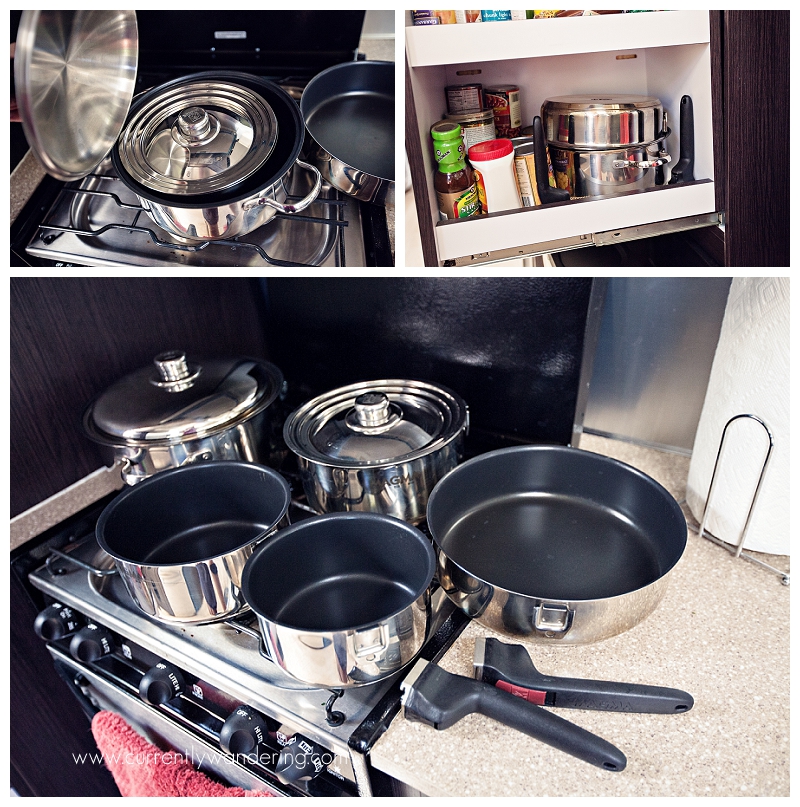
Magma 10 Piece Gourmet Nesting Stainless Steel Cookware Set with Non-Stick

IMG_5807

This pan set is everything I could want and MORE. So ridiculously happy that Riveted blogged about it awhile back so that we could discover its awesomeness. I chose the non-stick version (also comes in stainless) because that is the way I prefer to cook. I love that these pans nest together to take up the least amount of space possible. There are two removable handles to share between the pans, and as long as I attach them properly I’ve never had one even come close to falling off. Removing the handles while washing also conveniently fits them in our sink.

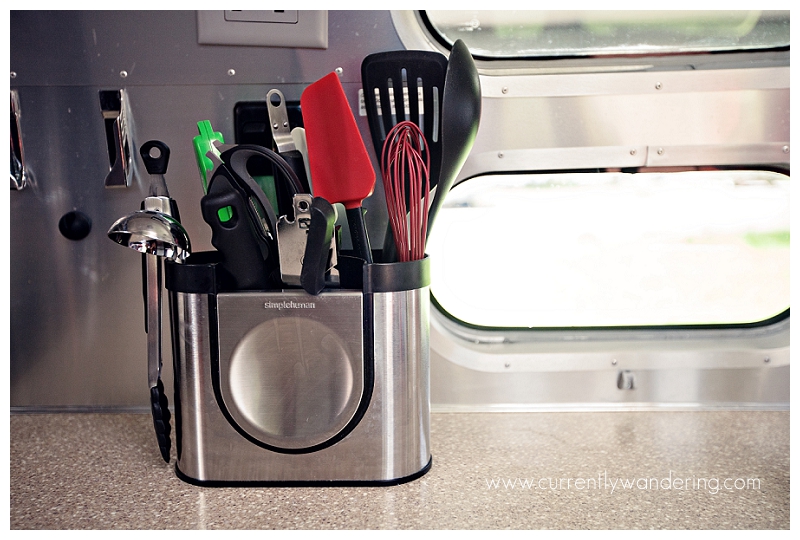
Simple Human Brushed Stainless Steel Utensil Holder

IMG_5786

Bought this off Amazon and was unsure whether we’d keep it or not after it arrived. A few days into our first trip, we totally fell in love. Doesn’t hold an exorbitant amount of kitchen utensils, but that’s the way I like it. Love that the front compartment is shallower for smaller instruments (can opener, garlic press) and I LOVE the built in spoon rest. Seriously one of my favorite features.

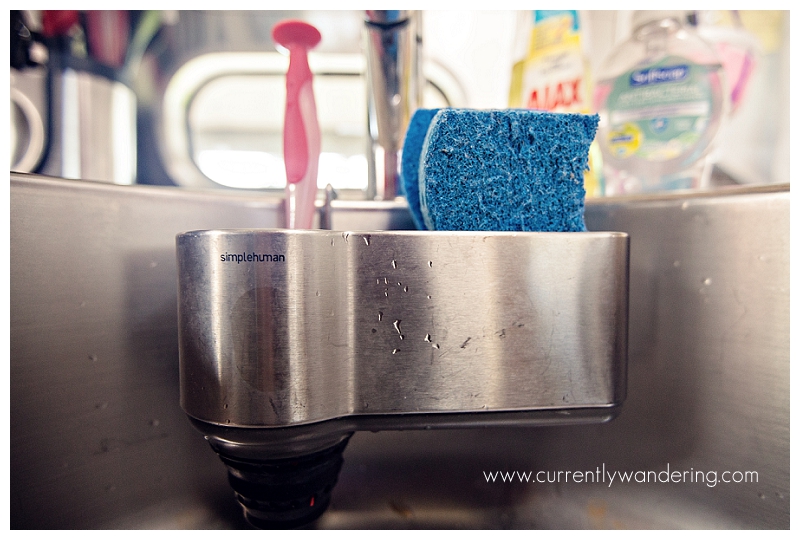
Simple Human Sink Caddy

IMG_5797

We original thought that this wouldn’t fit on our sink as the suction cups kept falling of. Then we cleaned our sink and it stayed just fine. Oops. Stays great even while towing, holds two sponges (one for wiping off counters, one for washing dishes) and a scrub brush from IKEA. We just unhook it and rinse it out every week or so to clean it. Helps keep our counters clear and less wet.

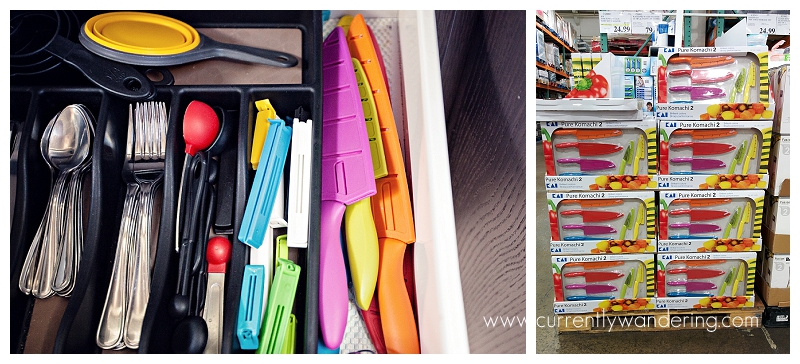
Kai 6-pc Pure Komachi Knife Set with Sheaths

IMG_5800

We originally just bought a few knives from Walmart and stashed them in a drawer. Then I found these at Costco. We debated for a bit as the set contains knives I don’t really use (citrus? really?) but decided it was still a great deal. I love the bright colors, and having sheaths to slip them into helps me feel less paranoid about my kids reaching into the drawer. Plus, it protects them from nicks and dings. LOVE these.


Categories
Airstream Accessories

We Buy an Outdoor Mat, Then Make It Better

We Buy an Outdoor Mat Then Make It BetterAs the weather has been getting nicer, we’ve been desiring a larger mat for outside the door. A place to kick off our shoes without getting dusty.

RV Mats are fairly common, and are mostly of the plastic, fan-fold variety. We didn’t love them, and they were huge. Have you seen our Airstream? a bit tight on storage space.

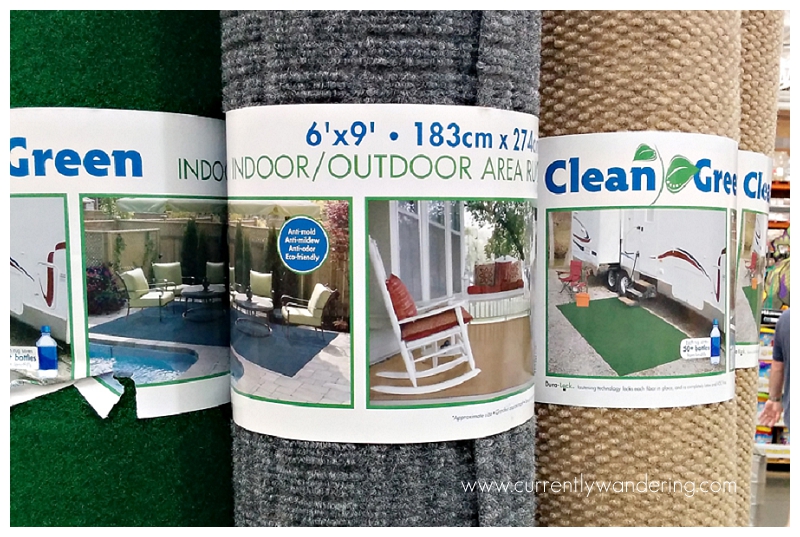
Whilst perusing Costco one day, I saw a possibility:

IMG_20140204_143013

The only problem was the size. It was a 6 foot by 9 foot mat. The bed of the truck (where this would have to live) is a short bed made shorter by the roll-top cover canister. It wasn’t going to fit.

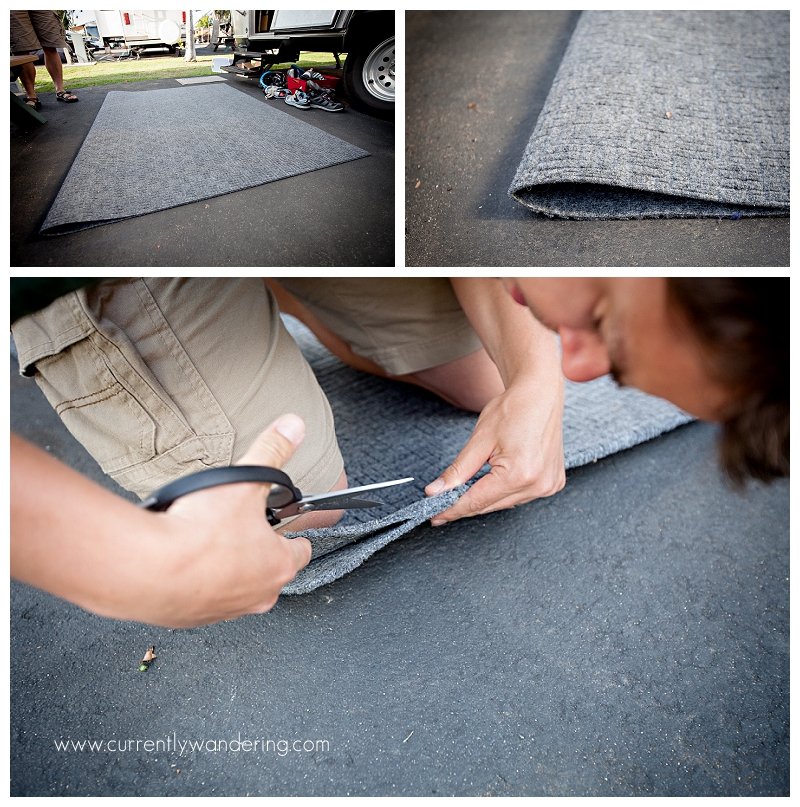
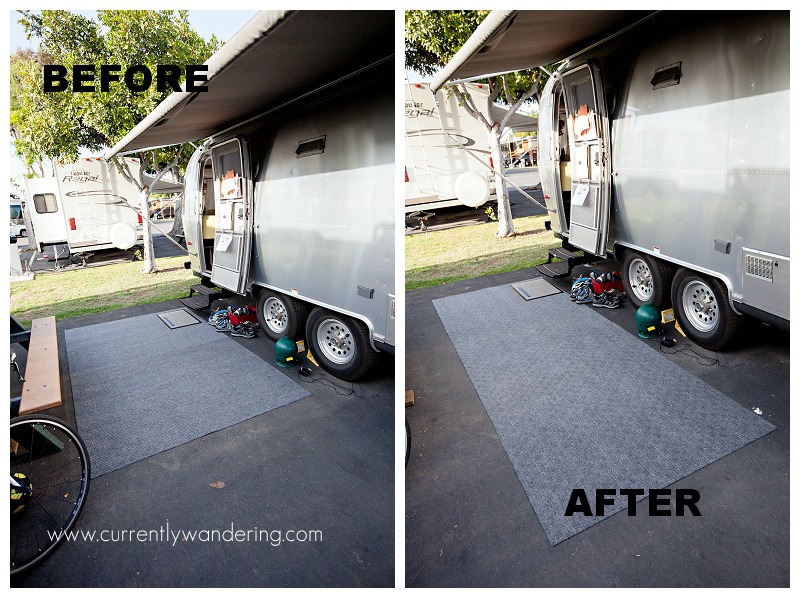
We solved the problem by cutting it in half, resulting in two 6 foot by 4.5 foot sections.

IMG_5542

The side effect of such a cut is that we can now deploy only one mat, two in the original size, or rotate them  for a 12 foot by 4.5 foot space, which we like very much.

IMG_5549Rolled up together, it fits in the truck bed nicely.
IMG_5552

It is light weight, sturdy, easy to roll up and store and works great for keeping the dust down. It also gives Jess a nice place to do her workout videos instead of in the dirt of gravel. If you are looking for an outdoor mat, we definitely recommend this one!

Categories
Airstream Accessories Inside the Airstream

In Which I Replace the Range Hood Fan

Flash back with me to Christmas. We were staying at Huntsville State Park. Jess was cooking. She had the vent hood fan on, which draws air in over the range and pushes it out the kitchen vent in the side of the Airstream. The fan is a bit loud when it is on, but works well. Until, all of a sudden…

wakka-wakka-wakka

The fan got noisy in a hurry. Jess dove for the switch.

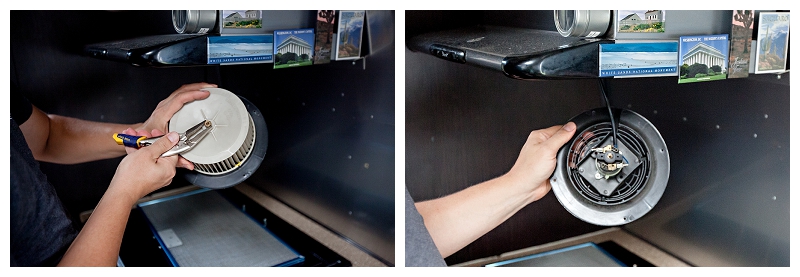
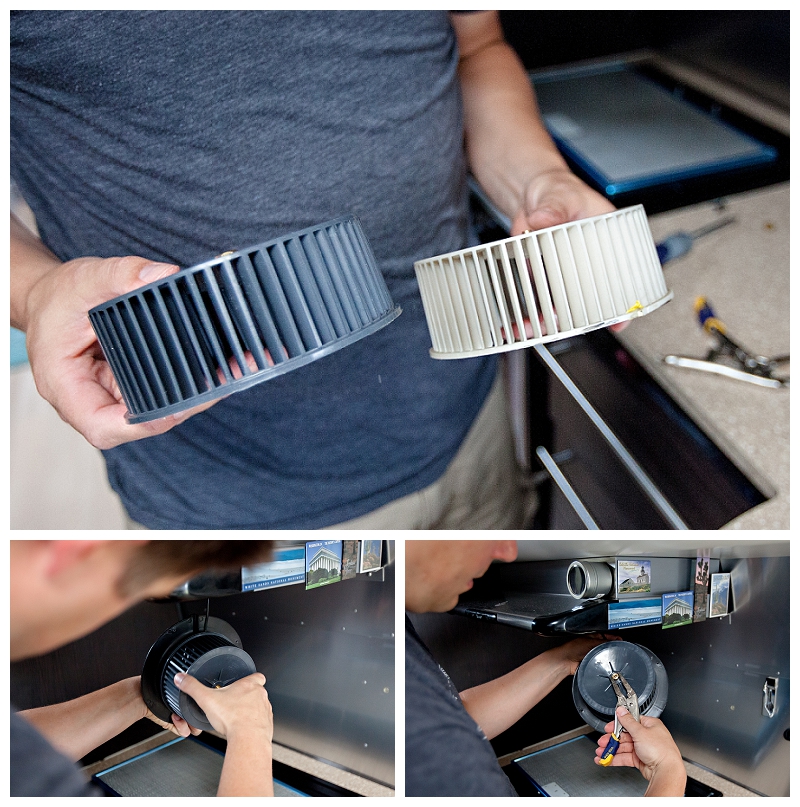
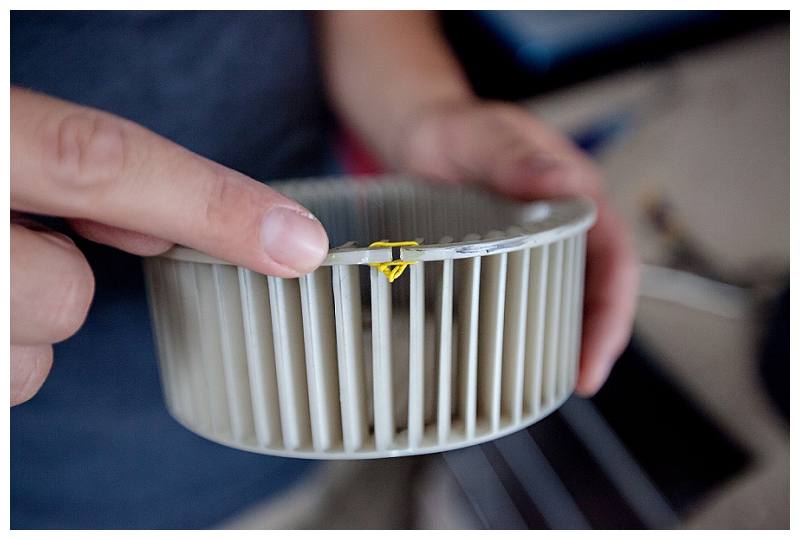
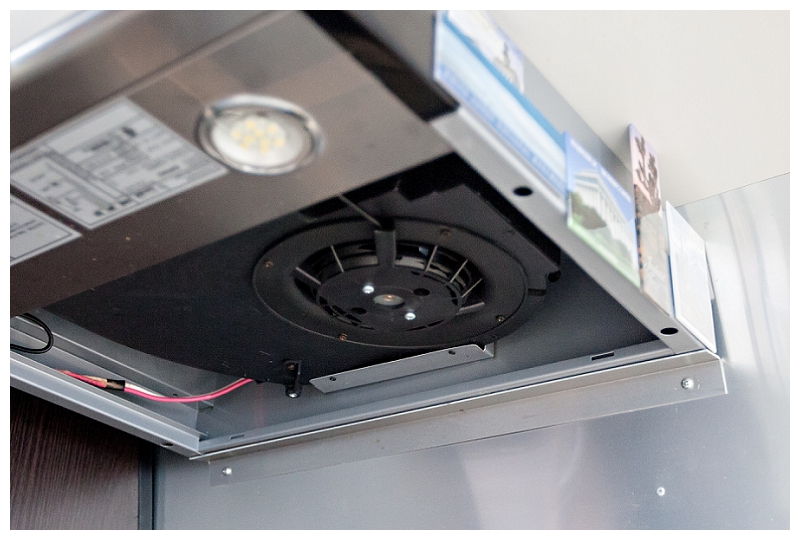
After things calmed down and cooking and dishes were done, I dissected the range hood. The cylinder shaped plastic fan had broken, and the exposed edge of the break was hitting the fan housing.

Locating a replacement part was difficult. Many of the parts Airstream uses are common brands, and easy to find. The vent hood is made by Baraldi, which appears to be a company that mostly makes commercial kitchen range hoods. Unable to find a part online, I called Airstream directly.

Airstream was extremely helpful. I spoke with Carly, and within a few minutes (with the last 6 of the Airstream’s VIN) she was able to pull the schematics of the kitchen, and narrow down the part I needed. She then emailed me the part number, a picture of the part, and a list of Airstream dealers that could order it for me. (Airstream part 512210-101, though your specific model might have a different fan.)

In between finding the problem and calling Airstream, I tried a few temporary fixes: glue and wire. The glue didn’t work. The wire didn’t either. We just didn’t use the range vent fan for a few months, which led to extremely an extremely steamy (!) or smokey Airstream during mealtimes. We used the built in fantastic fans, but the effect isn’t as nice.

IMG_5563

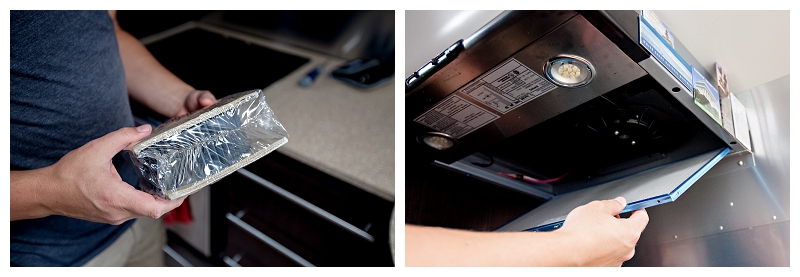
I finally called an Airstream Dealer when we arrived in California, and had the part ordered. It is apparently a rarely needed part, so nobody had it in stock. The part arrived, and was replaced in just minutes.

IMG_5554

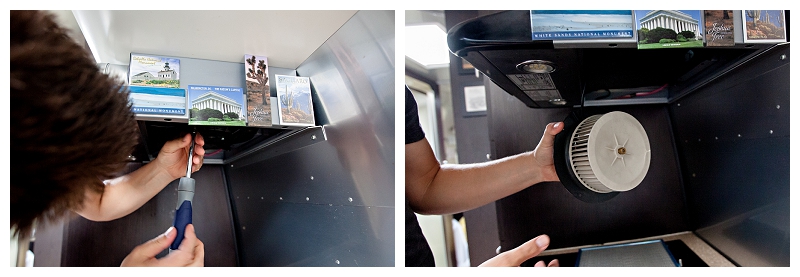
A phillips screwdriver is needed to remove the fan assembly, and a pair of plyers (or small vice grips…) is needed to remove and replace the nut holding the fan to the motor. Just don’t lose anything, and put it all back the way you found it, and the replacement will go very easy.

IMG_5558IMG_5560IMG_5562This part replacement was simple, and doing it myself saved some money and a trip for the Airstream into a dealership. It is now back to it’s normally loud operating mode!

IMG_5566


Categories
Airstream Accessories California

How to Make your Smartphone Battery Last ALL day at Disneyland

Screenshot_2014-02-25-22-29-03 copy

Smartphones are useful tools, but their short battery life can cause plenty of frustration at someplace like Disneyland. Having spent a week at Disneyland, my smartphone battery never dipped below 50%. Read on to learn my tricks:

Disable WiFi and Bluetooth

You won’t be using these anyway, and they will waste lots of battery looking for connections.

Disable Mobile Data

This is the big one. Turning off Mobile data saves battery in two important ways. First, mobile data takes lots of battery power. This is particularly true in crowded areas like theme parks, where thousands of cellphones are fighting for limited cell signal. Second, inbound push notifications cause your phone to ‘wake up’ to process the message. When you disable data, you prevent push notifications from causing your phone to wake up and burn battery in the process.

Use a Desktop Widget to toggle data on and off easily. Some quite useful things on your smartphone (maps, line wait time apps) will need data to work. Use a desktop widget (I use Power Toggles) to make switching data on and off easy. iPhone users will need to get familiar with adjusting their settings for fast switching. There are times that having data is useful, particularly when waiting by yourself in a long, boring line. Save your data use for these times, then turn it back off when life begins moving again.

Use Text Messages (SMS) to Communicate

Using Text Messages may seem old-school in the days of Facebook and Google Hangouts, but it’s perfect for communicating in a crowd. SMS messages are sent along the same control channel that your phone uses to coordinate with cell towers, and that gives you two important advantages. First, SMS messages are extremely battery efficient. Second, SMS messages are faster and more reliable then anything requiring a data plan.

If you need to communicate with a group and don’t want to deal with sending SMS messages to everybody on your phone, use an app like GroupMe.

GroupMe assigns a new phone number for your group. One message sent to that number will be sent to everybody in the group. Note that after the group is created in GroupMe, you need to tell it to use SMS message delivery before turning your data off.

Share Later

Now that your battery will last all day, pull out that phone to take pictures and video. Then, wait till the end of the day when you have your feet up to post those pictures with friends. This not only saves battery power, but prevents you from standing in the middle of the Happiest Place on Earth with your face glued to your phone. Enjoy your experience, and share it later.

Enjoy!

Using these tricks, my phone battery was usually between 50% and 70% after a FULL day in the park. It was always ready when I wanted to snap a picture or coordinate with my friends.

Note that these tricks work well at parties, conferences, conventions, and sporting events. Apply everywhere as needed!